
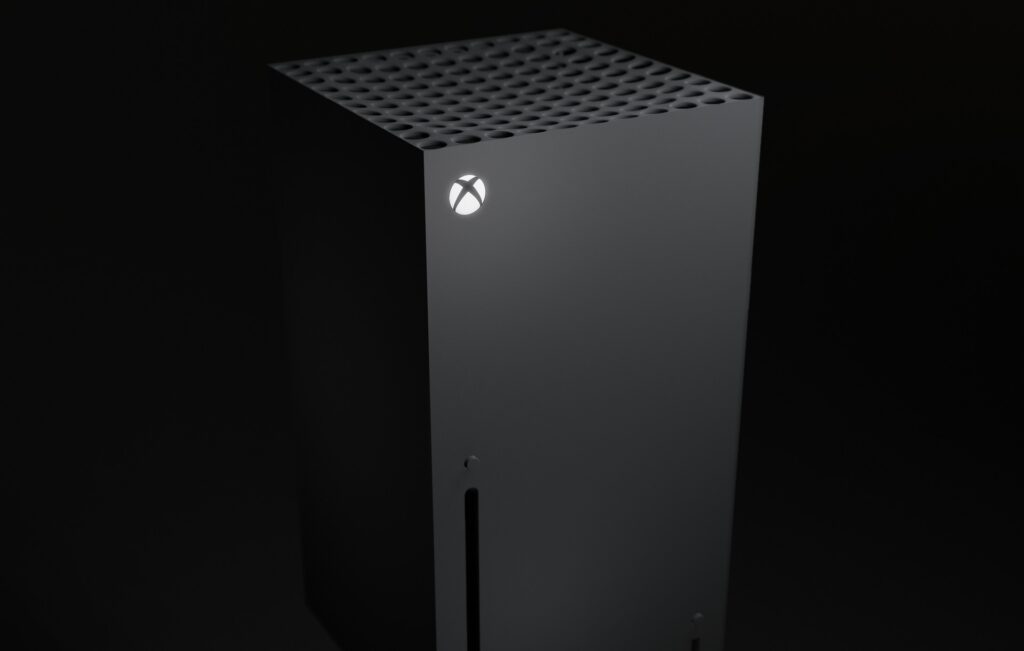
The Xbox Series X is one of the most powerful consoles ever created, yet most players only scratch the surface of what it can really do. Behind the clean interface and lightning fast loading times sits a long list of hidden features that quietly shape the experience. Some of them save you hours of time. Some unlock performance you did not realise the console had. Others make the entire ecosystem feel more personal and more human. These small details often go unnoticed, but once you understand them, the Xbox Series X becomes far more than a gaming machine. It becomes a deeply customisable entertainment hub with layers of thoughtful design.
Quick Resume Works Differently Than You Think
Quick Resume is one of the Series X’s most talked about features, but few realise how powerful it actually is. It does not just pause a game. It stores your exact gameplay state, even across reboots or system updates. This means you can jump between several titles without losing progress, something that feels almost surreal the first few times you try it. Microsoft built this system deeply into the Xbox architecture, and their official Xbox Series X platform overview explains how memory states are preserved in a secure storage block. It is a quiet showcase of engineering that makes gaming feel effortless.

You Can Use Cloud Saves Without Paying Extra
Many players assume cloud storage is locked behind subscriptions, but that is not the case here. Every Xbox Series X user receives automatic cloud saves. No setup. No syncing. No fees. The moment you switch consoles or delete a game to free up space, your data remains safe. It feels like a small detail until you experience a hardware issue or upgrade your console. Then it becomes one of the most valuable features the system has.
Dolby Vision Gaming Unlocks Hidden Visual Depth
If you own a capable TV, the Series X can deliver Dolby Vision gaming with dynamic HDR adjustments that shift frame by frame. Instead of a static HDR profile, your display adapts in real time, giving brighter highlights, deeper shadows, and clearer detail in dark areas. This matters most in visually complex games, where subtle contrast changes affect how you read the environment. Microsoft partnered directly with Microsoft’s own Dolby-supported ecosystem to fine tune this feature, and it often goes unnoticed by players who stick with standard HDR settings.
The Console Can Help Reduce Lag With Automatic Low Latency Mode
Latency has always been a quiet frustration for console players, especially in competitive titles. The Series X includes Automatic Low Latency Mode that communicates directly with supported TVs. When enabled, your TV switches into low latency gaming mode the moment a game launches. You do not need to change picture presets or dive into menus. The console negotiates everything in the background. For players who love shooters, fighters, or racing games, this feature can genuinely change the feel of gameplay.
Backwards Compatibility Has Its Own Hidden Enhancements
Many people know the Series X plays older Xbox games, but fewer know how many enhancements occur behind the scenes. Some titles run with boosted frame rates. Others gain higher resolutions or improved texture filtering. Games that originally struggled now feel clean and responsive thanks to the console’s raw power. Microsoft even added automatic HDR support for select older titles, giving decades-old games a fresh visual identity. These improvements happen without developers updating anything, which makes the feature even more impressive.
You Can Calibrate Everything Far Beyond Default Settings
The Xbox Series X hides an unusually deep calibration menu. You can fine tune HDR curves, calibrate your TV’s contrast using built in step-by-step tools, and even adjust controller input thresholds. For players sensitive to input delay or visual accuracy, these settings provide control you usually only find on PC. They allow you to tailor the console to your preferences instead of relying on broad presets that do not match your environment.

The Controller Has Subtle Features That Most Miss
The updated Series X controller includes textured triggers, a hybrid D pad, and improved wireless stability, but one of its most underrated features is the share button. It is placed precisely where your thumb naturally rests without interrupting gameplay, making screenshot capture instant and intuitive. Another overlooked detail is the controller’s low power Bluetooth mode, which conserves battery life when connected to mobile devices or PCs. It is a thoughtful design choice for players who move across devices.
Xbox Game Pass Integrates More Deeply Than You Notice
Game Pass is not just a subscription. The Series X is built around it. The store, the dashboard, and the search system are all designed to surface titles you can install instantly. When a new game drops from Xbox Game Studios, it becomes available to download and play at launch with no additional steps thanks to the official Xbox Game Pass integration. Even your achievement tracking adjusts dynamically based on whether a title is installed locally or streamed through the cloud.
For players curious about the value of the service, our breakdown of the recent price changes explains why Game Pass still feels worth it in 2025.
Conclusion
The Xbox Series X is full of hidden features that elevate the experience far beyond its headline specs. Some exist to remove friction. Others enhance performance, visuals, or stability. The more you explore the system, the more it becomes clear that the console is built around convenience and personal preference. These quiet innovations do not always make the marketing trailers, but they shape the everyday reality of gaming. Once you notice them, you appreciate the Series X not just as a powerful machine but as a carefully designed ecosystem that adapts to you.
Frequently Asked Questions
Does the Xbox Series X have hidden features most people don’t use?
Yes. Many features like advanced HDR calibration, Quick Resume storage, and Automatic Low Latency Mode operate silently in the background.
Do you need a subscription to use cloud saves on Xbox?
No. Cloud saving is free for all Xbox users, and your progress syncs automatically across devices.
What is the most underrated Series X feature?
Quick Resume is widely praised, but the deeper calibration tools and Dolby Vision gaming are arguably the most overlooked.
Does the Xbox Series X make older games run better?
Yes. Backwards compatible titles often receive frame rate boosts, resolution upgrades, and improved HDR mapping without developer updates.

Hi, I’m Luke. I write and edit for GameDayRoundup, covering everything from football stories to gaming and esports news. I enjoy digging into the details behind each topic so readers get something clear, honest and interesting every time they land on the site. I spend most of my time researching new stories, planning fresh ideas and making sure our content feels real and enjoyable to read.